







One upload.
10 viral clips.

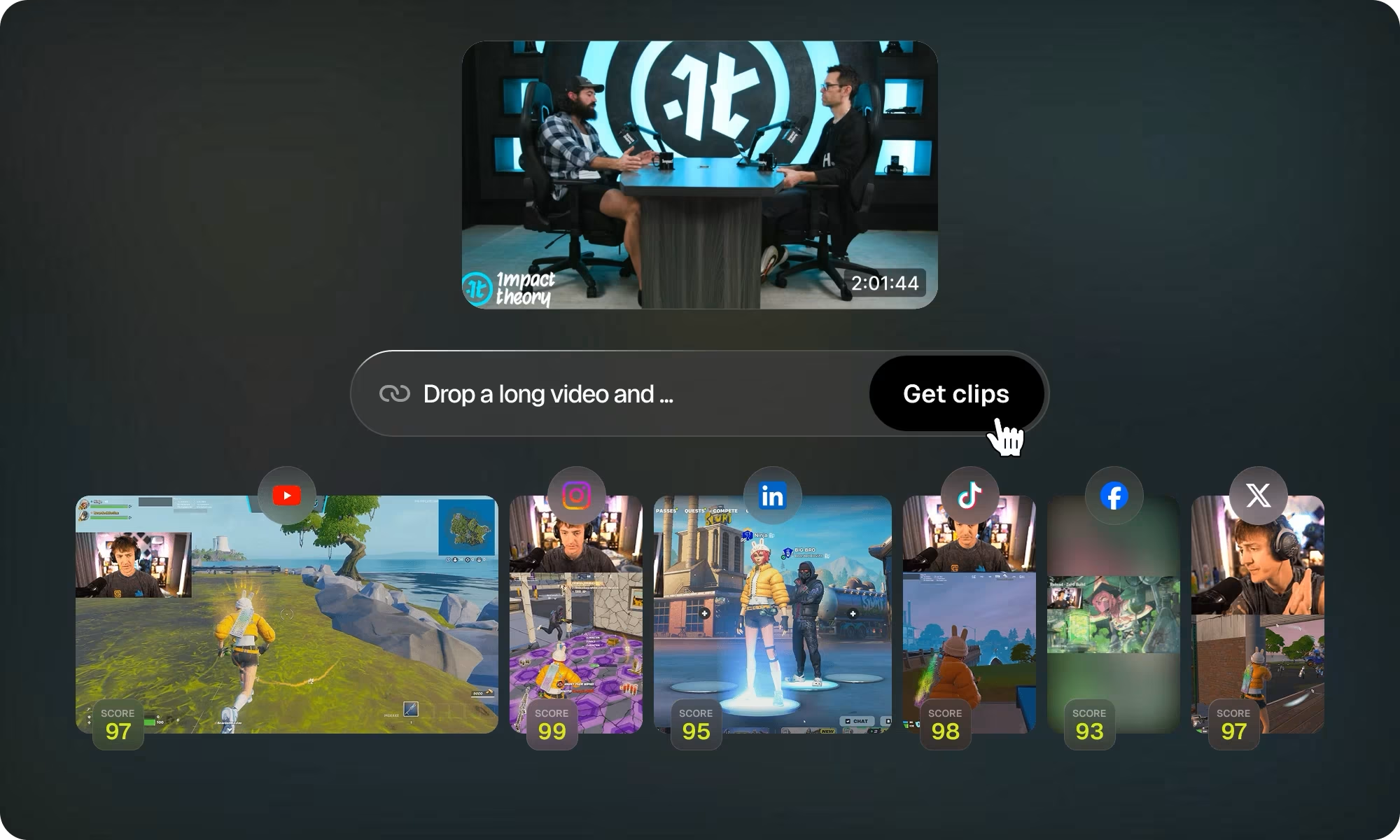
Opus Clip analyzes your long videos, extracts the best moments, and provides you with multiple short clips ready to be published across all your social networks.

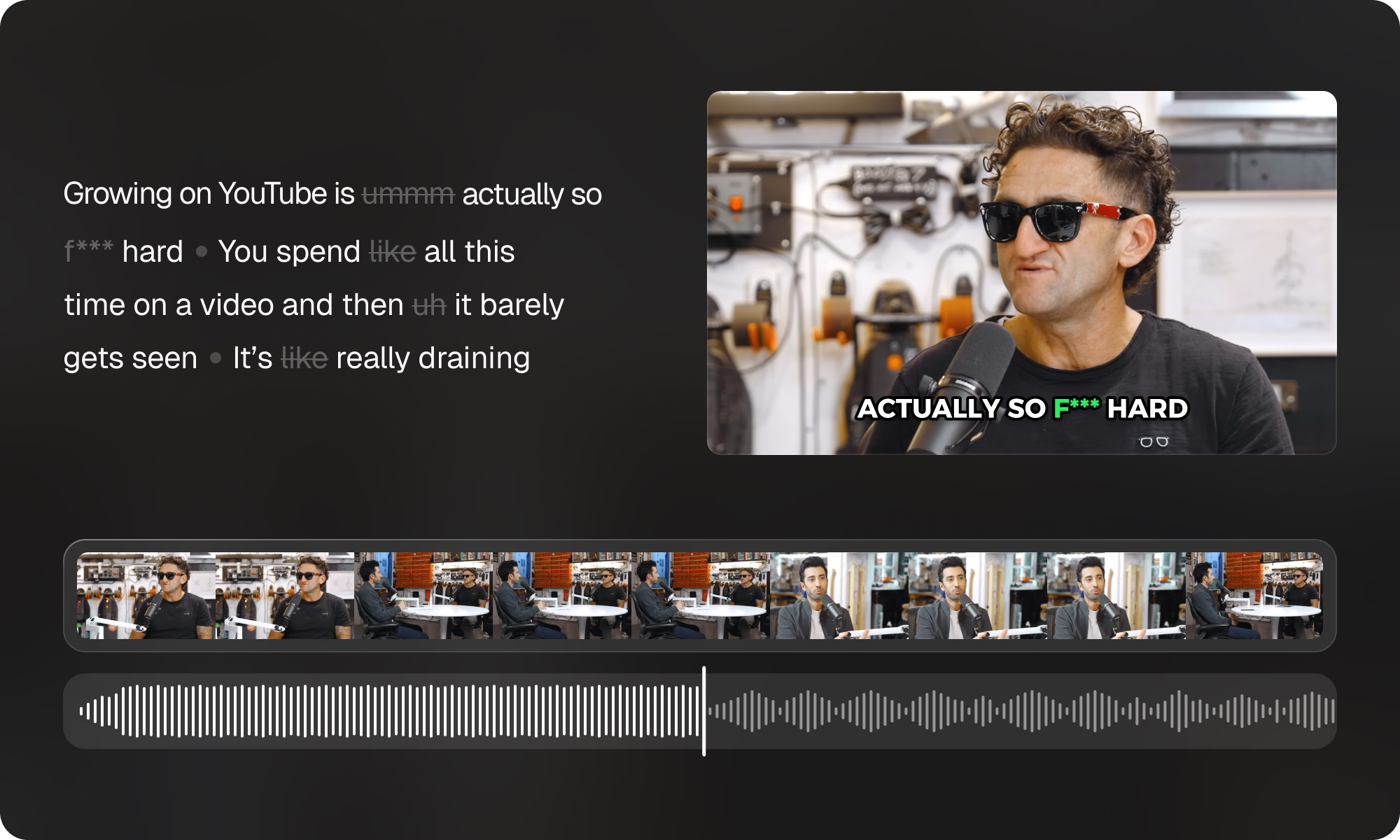
Opus Clip app turning a long video into a vertical viral clip with AI captions and text to audio
97% caption accuracy

Trusted by 16M+ creators, podcasters and brands

ZoomInfo Telefonica GitHub NVIDIA Visa Audacy Chili Piper Univision

Your long video already has 10 viral clips inside it

Opus Clip, also known as Opus Pro, acts like the editor you never had time to hire. It reads the whole recording, pinpoints the segments most likely to catch and hold attention, then packages each one as a ready-to-post short.

Every opus clip ships with captions, a vertical crop and an opening line built to stop the scroll. Whether you call it opus clip ai, opus ai clip or just opus clips, the idea is simple: squeeze more reach out of footage you already shot.

AI clipping Spots the moments worth sharing in any genre
AI captions 20+ languages, auto emoji and keyword accents
AI reframe Keeps the subject centred on every platform
AI B-Roll Relevant footage inserted in under a minute
Auto hook Opens every clip with a line built to stop the scroll
AI voice-over Natural speech layered in seconds

AI that reads every frame of your video

The models behind Opus Clip Pro are tuned for any footage, not only podcasts, with an eye on speed, caption quality and how much control you keep.

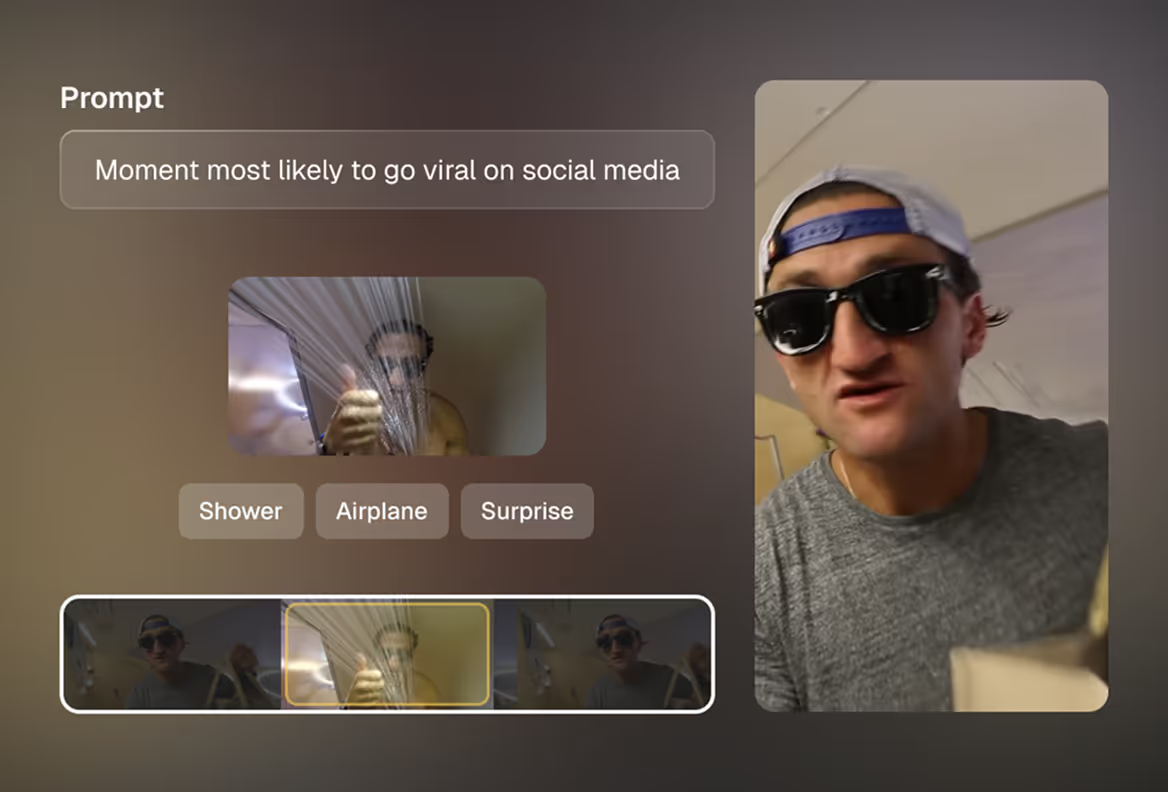
ClipAnything prompt finding the moment most likely to go viral in a video
ClipAnything

Clip any genre, not just talking heads

Where other tools stall on anything that is not an interview, ClipAnything handles vlogs, gameplay, sports and explainers alike. Describe the moment you want and the opus clip ai goes and finds it.
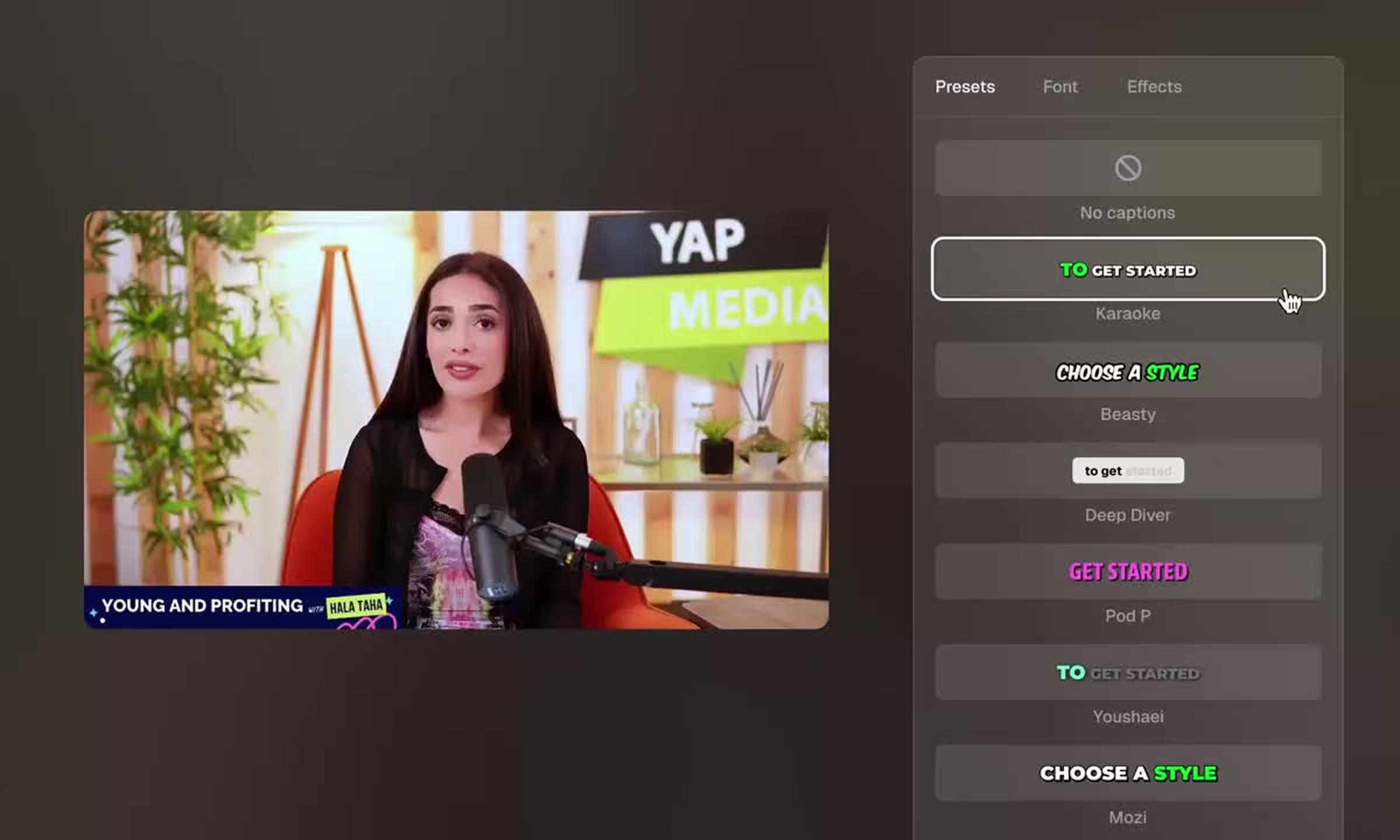
Opus Pro captions presets and animated caption styles for short videos
AI captioning

Opus Pro captions, styled in seconds

Captions land automatically in more than 20 languages, with emoji and keyword accents baked in. Pick a preset, drop in your own font, and tweak any caption line by hand. Sharper captions hold attention longer.

Opus Clip turning a long video into multiple scored viral clips
AI clipping

A batch of clips, ranked for you

Feed in a long opus pro video and get back a set of clips, each scored by Virality Score. Every opus ai clip arrives trimmed, reframed and captioned, ready for whatever platform you post to next.

Opus Clip AI audio enhance and AI voice over on a creator video
AI audio enhance

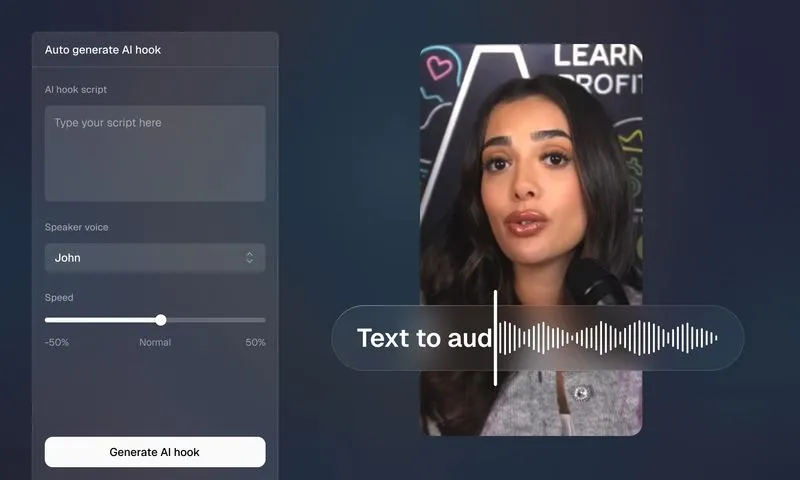
Cleaner sound and an AI voice over

Speech enhancement strips out room noise and evens the levels, then an AI voice over can read a fresh hook in moments. Your opus clips end up sounding as polished as they look.

Put the boring half of editing on rails

Between the Opus Clip app and the Opus Clip API, you can ship roughly five times faster. Hook up your sources once and let opus clip ai powered video repurposing keep producing while you step away.

  • Pull footage in from YouTube, Drive, Zoom, Vimeo, Loom and 10+ sources
  • Line up a month of posts across every platform in a single sitting
  • Spin up an Opus Clip thumbnail from a link in one click
Try Opus Clip free
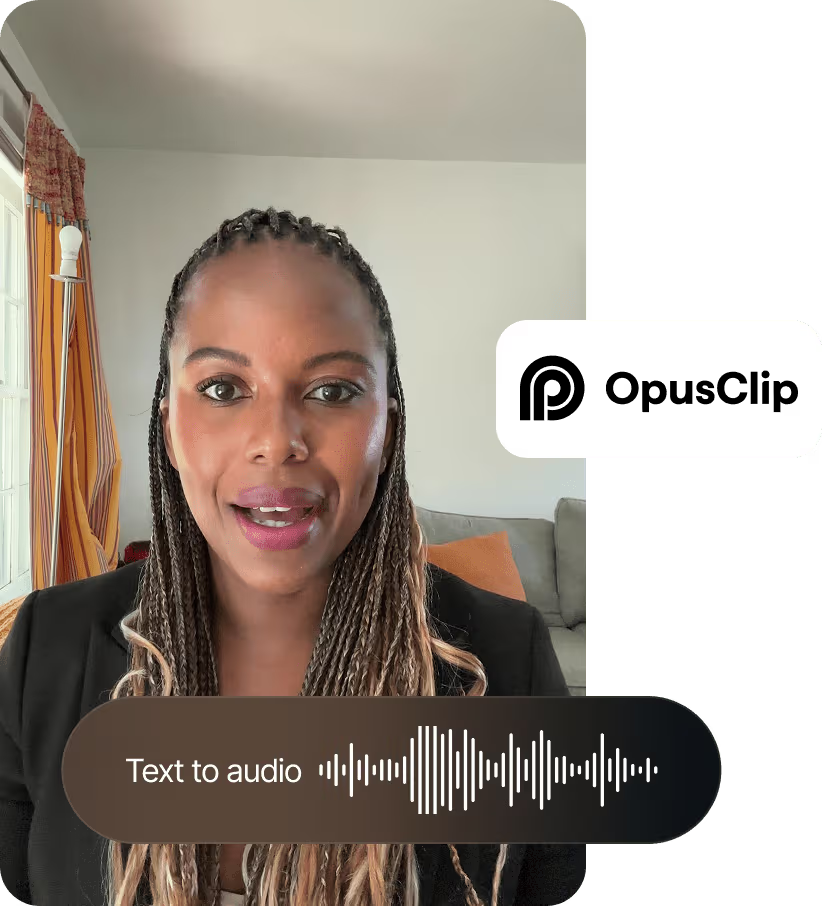
Opus Clip auto generate AI hook with text to audio voice over
0
Creators and brands
0
Caption accuracy
0
Faster than manual editing
0
Caption languages

Grow your output, not your headcount

As video takes over every channel, Opus Clip keeps one consistent look across thousands of clips, with shared templates, seats and an API to tie it together.

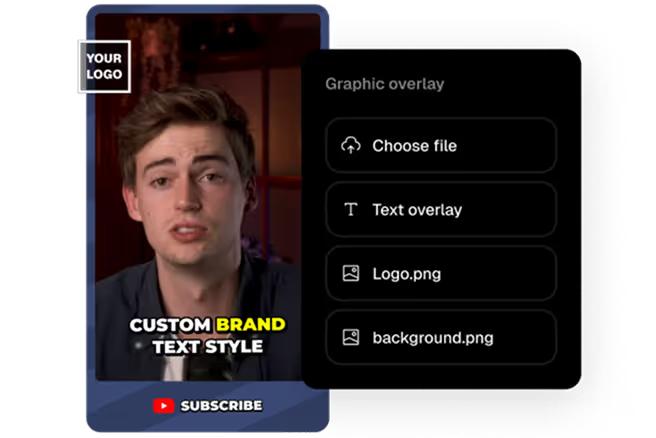
Opus Clip brand templates with custom brand fonts, colors and logo overlay

Brand templates

Lock in fonts, colors, logos and intro outro cards once, then stamp them onto every clip so the whole feed stays on brand.

Opus Clip team workspace for collaborating on video projects

Team workspace

Bring everyone into one account with seats and roles, so reviewing and handing off projects stops living in your inbox.

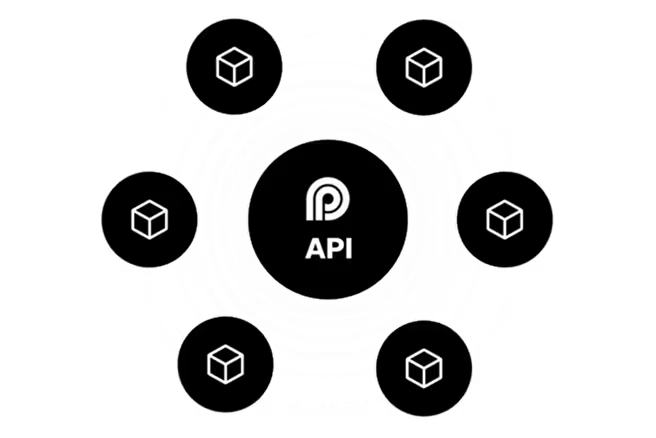
Opus Clip API workflow integration connecting tools around a central API

Workflow integration

Wire Opus Clip into your CMS and the rest of your stack through the Opus Clip API to keep production moving without manual steps.

Begin for free, skip the card

The Opus Clip free plan stays free for good. Each month brings 60 fresh credits to turn long recordings into opus clips, with clipping, auto reframe and AI captions all included. It is the gentlest way to see what opus clip ai powered video repurposing does before spending a cent. The moment you want full editing, watermark free files or higher resolution, one click moves you up to Pro.

$0 USD / month, free forever
Start for free, no card needed
  • 60 credits every month
  • Clips rendered up to 1080p
  • Automatic vertical reframe
  • AI captions with emoji and keyword accents
  • A watermark stays on free clips
  • Editing opens up on paid plans
  • Free clips stay exportable for three days

How much is Opus Clip?

Begin on the free plan and move up when it pays off. Flip the billing below. Sitting on an Opus Clip promo code or Opus Clip discount code? Drop it in at checkout.

Free
Free forever
$0USD/mo
No card required
Create a free account
Free forever
  • 60 credits every month
  • Renders up to 1080p
  • Auto reframe
  • AI captions with emoji highlights
  • Watermark on clips
  • Editing locked to paid plans
  • 3 day export window
Starter
For solo creators
$15USD/mo
Charged monthly
Start free trial
No card required
  • 150 credits per month
  • Virality Score on every clip
  • AI captions in 20+ languages
  • Post to Shorts, TikTok, Reels
  • Full editor
  • 1 brand template
  • Filler and silence removal
  • No watermark
Most popular
Pro
For creators, marketers and teams
$29USD/mo $29$14.5USD/mo
$29 charged monthly$174 billed once a year
Start free trial
No card required
  • 300 credits/month3,600 credits/year
  • Team workspace (2 seats)
  • 2 brand templates
  • 6 social account connections
  • All of Starter, plus:
  • AI B-Roll
  • 10+ import sources
  • Export to Premiere / DaVinci
  • 9:16, 1:1 and 16:9 aspect ratios
  • Social media scheduler
  • Custom fonts
  • Speech enhancement
  • Limited API access
Business
For organizations that need API and custom setups
Custom
Tailored pricing and packs
Contact us
Built around your team
  • All of Pro, plus:
  • Priority processing queue
  • Custom credits and seats
  • Brand assets, fonts and vocabulary
  • Dedicated storage
  • Full API and CMS integration
  • Master Service Agreement
  • Priority Slack support
  • Enterprise security

Have an Opus Clip promo code or discount code? Apply it at checkout.

Drop Opus Clip into your own stack

The Opus Clip API exposes opus clip ai powered video repurposing as something your own software can call. Make clips, queue posts and connect the tools you run, all without opening the app. API and integration features sit on Pro and Business, with the full custom set on Business.

Video Editing API

Pass in a long opus pro video and receive captioned, reframed clips back. Generate at volume with no manual clicks.

Scheduler API

Queue and release opus clips to each connected platform on the timing your own system sets.

MCP connector

Hook Opus Clip up to AI agents through the MCP connector, so the Opus Pro agent can cut clips on request.

CMS integration

Link your CMS and fresh long form uploads turn into shorts on their own. Offered on Business.

Zapier integration

Connect Opus Clip to thousands of apps through Zapier, drawing on up to 300 credits a month on Pro.

Keys and access

Find your API keys in the dashboard once you complete Opus Clip sign in. Opus Pro login works with Google or email.

Why 16M+ creators reach for Opus Clip

The pattern across every Opus Clip review is the same: less time editing, the same clip landing on every platform, and one tool replacing what used to take a whole stack.

It used to take days to put clips together. With Opus Clip it now takes minutes.

Lewis HowesLewis HowesCreator and host

The one AI tool I have actually found useful is Opus Clip. It handles what I never have time for. I am a super fan.

Jason LemkinJason LemkinFounder, SaaStr

Opus Clip lets me post far more short form without burning time in the editor. For long form channels it just makes sense.

JacksfilmsJacksfilmsYouTuber

Opus Clip FAQ

You hand over a long opus pro video and Opus Clip studies the whole thing, marks the segments with the most potential, and stitches them into short clips. The opus clip ai then layers on captions, a vertical reframe and an opening hook, so each clip is coherent and ready to post to TikTok, YouTube Shorts and Reels.
Yes. The free forever plan hands you 60 credits a month and asks for no card. You can render clips up to 1080p with automatic reframe and AI captions that add emoji and keyword accents. Whenever you want editing and watermark free files, a Pro trial is a click away.
The free plan costs nothing. Starter is $15 a month, Opus Clip Pro is $29 a month or $14.5 a month on yearly billing ($174 up front), and Business is quoted to fit your team. Paid tiers add credits, opus pro captions, brand templates, the Opus Clip API and seats. Any Opus Clip promo code or Opus Clip discount code applies at checkout.
It can. Opus Clip writes animated captions in more than 20 languages and can sprinkle in emoji and keyword highlights. Choose an opus pro captions style, swap in your brand font, and rewrite any line before you export.
Open the login page and use Opus Pro login with Google or email. Your dashboard appears straight away, where you upload videos, generate clips and reach the Opus Pro agent automations on paid plans. Go to Opus Clip sign in.
Yes. The toolkit covers a Video Editing API, a Scheduler API, an MCP connector, plus CMS and Zapier integrations, so opus clip ai powered video repurposing slots into whatever you already run. API access begins on Pro, with the full custom integrations on Business.
Plenty of people shopping for an Opus Clip alternative come back to Opus Clip, since it rolls clipping, opus pro captions, AI reframe, B-Roll and an Opus Clip thumbnail generator into one place. The theme across any honest Opus Clip review is speed paired with clip quality.
There is no difference in the product. Opus Pro is simply another name people use for Opus Clip, so opus pro video, opus pro captions and opus pro login all point to the same opus clip ai tool and the same account.
You can pull footage from YouTube, Google Drive, Vimeo, Zoom, Loom and a public mp4 link, among 10+ sources in total. Drop a link in the box or upload a file straight from your device, and the opus clip ai takes it from there.
Every opus clip exports in vertical and square layouts, so it fits TikTok, YouTube Shorts and Instagram Reels, along with LinkedIn, Facebook and X. The built in scheduler can queue posts to each connected account on paid plans.
Opus Clip handles captions in more than 20 languages, including English, Spanish, French, German and Portuguese. Pick an opus pro captions style and the text is generated, highlighted and ready to fine tune.
Yes. The Opus Clip thumbnail generator takes a link and returns a thumbnail in one click, so you can pair every clip with an image built to earn the tap.
On Opus Clip free a watermark stays on your clips. Any paid plan, from Starter upward, removes it so you can export clean, watermark free video.
If you have an Opus Clip promo code or Opus Clip discount code, you enter it at checkout. Beyond that, paying yearly instead of monthly already trims the Opus Clip pricing by up to half.
The Opus Pro agent is an automation layer that lets Opus Clip act on instructions, including through the MCP connector. Paired with the Opus Clip API, it can fetch footage and cut opus clips on command without you opening the app.
Yes, on paid plans. The editor lets you reword captions, trim with text and timeline controls, swap fonts, drop in AI B-Roll and tidy the audio. The free plan is built for quick clipping rather than deep editing.
It does. Podcasts and interviews are a natural fit, and ClipAnything goes further by reading vlogs, gameplay and sports too. The opus clip ai surfaces the strongest moments from whatever footage you feed it.
Yes. Pro and Business add a team workspace with shared seats, brand templates and the Opus Clip API, so agencies can keep one look across many accounts and scale output without adding editors.
After Opus Clip sign in, new accounts can start a Pro free trial with no card. When it ends you can stay on the paid plan or fall back to Opus Clip free, which refreshes 60 credits each month.
Opus Clip follows recognized security practices, and the Business plan layers on enterprise grade security, dedicated storage and a Master Service Agreement for organizations with stricter requirements.

Turn your next recording into 10 clips

Step in alongside 16M+ creators already clipping with Opus Clip. Drop a link and get your first clips free in minutes.

This is an independent, unofficial website. Opus Clip and all related trademarks, logos, and content are the sole property of OpusClip Inc.